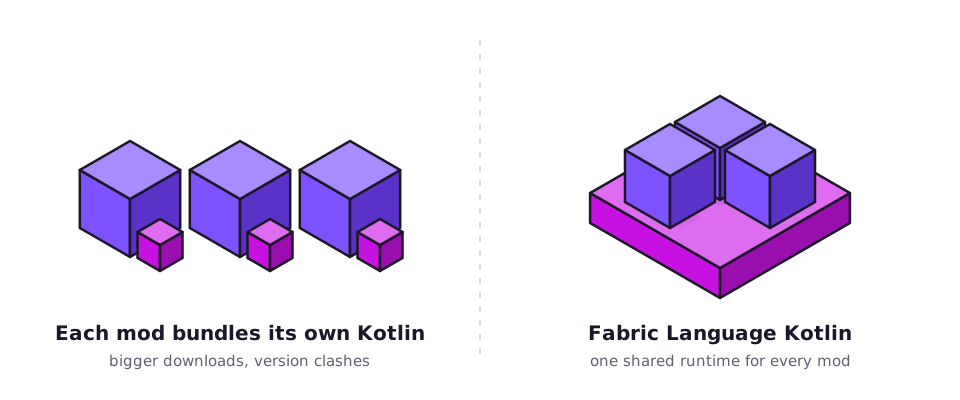
One shared runtime
Every Kotlin mod uses the same copy of the Kotlin libraries, instead of each one bundling its own.
Fabric Language Kotlin lets Fabric Loader start mods written in Kotlin and gives them one
shared copy of the Kotlin libraries. If a mod says it requires fabric-language-kotlin, this
is the missing piece.
It is a support library, not a content mod. It sits between Fabric Loader and any mod written in Kotlin, so those mods can start and share the same runtime.
Fabric Loader starts each mod by calling the entrypoints listed in its fabric.mod.json.
Kotlin code compiles to the same JVM bytecode as Java, but features such as Kotlin object
singletons need a little help to be created correctly. Fabric Language Kotlin registers a language adapter
named kotlin that handles this.
It also ships the Kotlin libraries those mods rely on. Instead of every Kotlin mod packing its own copy, they all use the one you install. That keeps setups smaller and avoids clashes between Kotlin versions. The source is hosted under the FabricMC organisation on GitHub.
The adapter sits in the middle. Around it are the Kotlin libraries and the practical details that matter when you build a setup.
Every Kotlin mod uses the same copy of the Kotlin libraries, instead of each one bundling its own.
kotlinx.coroutines is available to mods that do background or asynchronous work.
kotlinx.serialization for configs and data files, without each mod carrying it.
kotlin-reflect for mods that inspect classes and properties at runtime.
Mods declare the kotlin adapter for their entrypoints, and this library creates the Kotlin
objects and classes Fabric Loader asks for.
"adapter": "kotlin"kotlinx-datetime and atomicfu, smaller helpers some mods rely on.
The same library serves singleplayer, clients and dedicated Fabric servers.
Nothing is added to worlds, menus or controls, so it is safe to keep in any pack that needs it.
Public code under FabricMC on GitHub. Developers depend on it through Maven as net.fabricmc.
From the download to a game where Kotlin mods load without complaints.
Get the built Fabric Language Kotlin jar for your game version. Developers can start from the source archive.
Place the jar in the mods folder of your Fabric profile, next to the mods that need it.
Nothing to tweak in the library itself. Confirm Fabric Loader and any other required libraries are present.
Start the Fabric profile. Kotlin-based mods now find their runtime and load normally.
This button downloads the complete source code of Fabric Language Kotlin as a .zip archive
of the master branch from the FabricMC GitHub repository.
A manual install for the standard launcher. Launchers that manage dependencies can do most of this for you.
Use the Fabric installer for your Minecraft version, then run the new Fabric profile once so its folders exist.
Find it with the folder paths on this page, or through your launcher's option to open the instance folder.
Copy the jar in as-is. Remove any older copy so only one remains.
Check each mod's dependency list. Fabric API and other libraries are separate downloads.
If your Kotlin-based mods load without a dependency error, the library is working. There is no screen for it.
What the library is made for, and what to check before you install it. The versions below reflect common questions, not guaranteed support for every build.
Java 17. Pick a build your mods accept. 1.20.x notes
Java 17. Filter listings by this exact version.
Java 21. Newer versions guide
Java 21. Check your mods' minimum library version.
Year-based numbering. Look for builds listed under this number.
Minecraft: Java Edition with Fabric.
Needed when server-side mods use Kotlin.
Different loader with its own Kotlin library.
Different loader with its own Kotlin library.
Bedrock and mobile do not run Java mods.
Match the message you see to its likely cause. Fabric Loader's error screen and
logs/latest.log usually name the exact mod and version.
Release names usually carry two versions: the library's own, and the Kotlin version it bundles. Knowing the pattern makes it easier to match what a mod asks for.
<mod version>+kotlin.<kotlin version>
master branch on GitHubThe most common case. Fabric Loader stops and names the missing dependency. Adding the library is the fix.
One copy serves every Kotlin-based mod in the pack. Pick a build that satisfies the highest minimum any of them requests.
Server-side Kotlin mods need the runtime on the server as well as on players' clients.
Declare the library as a dependency and use the kotlin adapter. The developer guide shows the Gradle and fabric.mod.json parts.
The source archive is a compact, real example of extending Fabric Loader to support another JVM language.
Longer walkthroughs for the questions that come up most.
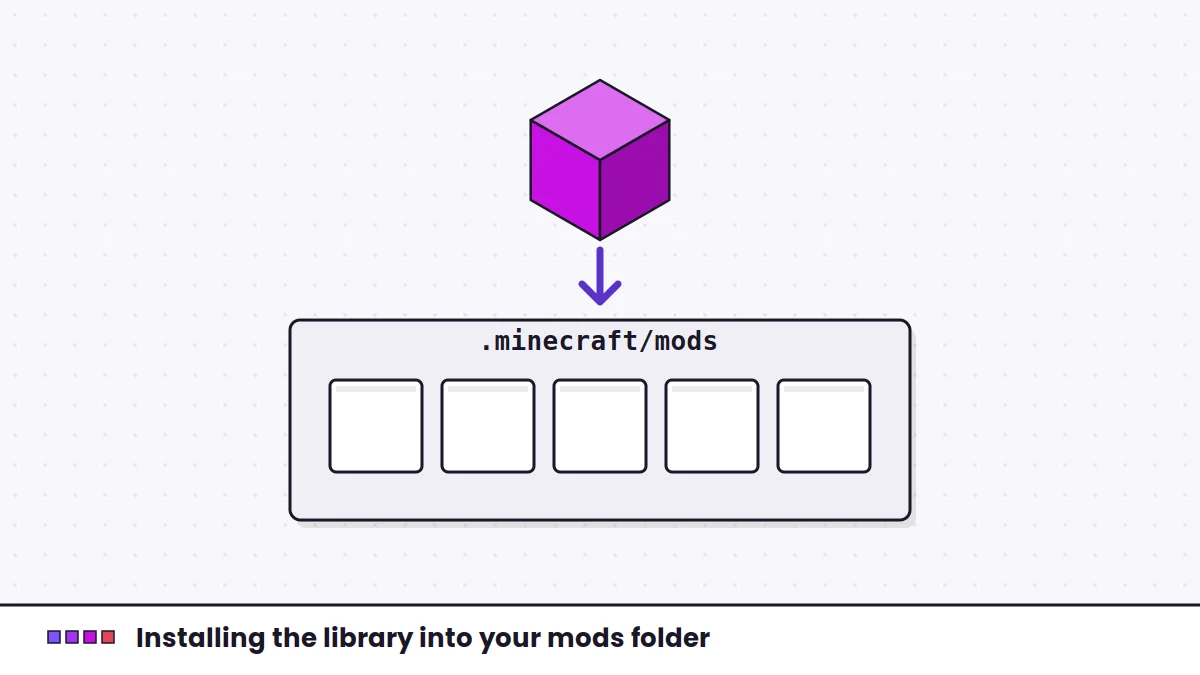 Installation
Fabric Loader, the mods folder on every desktop system, and how to confirm the library loaded.
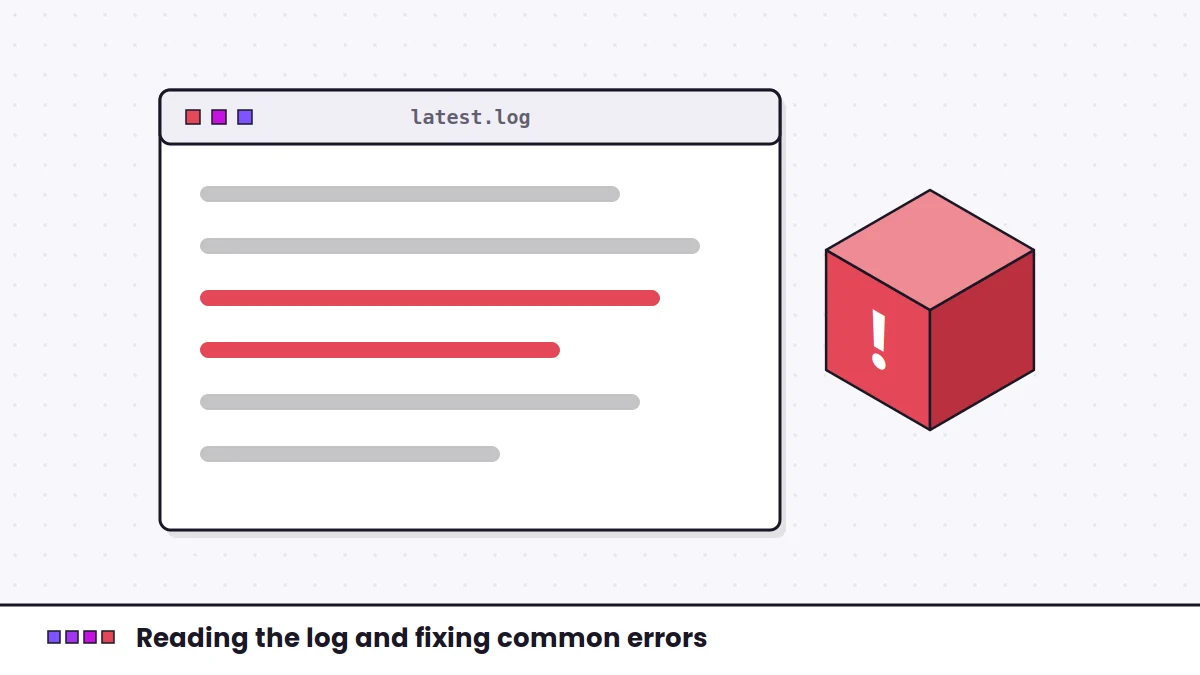 Troubleshooting
Reading the log, then matching missing, outdated, duplicate and Java errors to their fixes.
 Versions
Matching builds to newer releases, the year-based version change and a safe upgrade order.
Twenty answers in two groups: getting it installed, then making it fit your setup.
Still stuck? The error-fixing guide goes deeper, or reach us through the contact page.
It is a library mod for Minecraft: Java Edition on Fabric Loader. It lets Fabric load mods written in Kotlin and supplies the Kotlin runtime libraries they share. It adds no gameplay content of its own.
That mod was written in Kotlin, or uses Kotlin libraries, and cannot start without the shared runtime. Fabric Loader checks declared dependencies before launch and stops with a message naming the missing mod ID.
No. The button downloads the master branch source archive of the FabricMC/fabric-language-kotlin GitHub repository. It is source code in a .zip file. Players who need a loadable mod should use a built .jar release, commonly found on mod platforms such as Modrinth and CurseForge.
Place the built .jar in the mods folder of the Fabric game profile or launcher instance you play with. On a default Windows install that is %appdata%\.minecraft\mods. Keep only one copy of the library.
No. Fabric Loader reads .jar files directly. Extracting the jar, or placing the source .zip in the mods folder, means the loader will not recognise it as a mod.
Fabric Language Kotlin and Fabric API are separate libraries. Many mods require both, some require only one. Check each mod's dependency list and install everything it marks as required.
No. There are no settings to change and no in-game menu. Once the jar is in the mods folder and the game starts, mods that depend on it can load.
If a Kotlin-based mod runs on the server, yes. Install a compatible build in the server's own mods folder. Client and server should run versions that satisfy the same mods.
Replace the old jar with the newer build, rather than adding the new one beside it. Two copies trigger a duplicate mod error. Launchers with mod management can usually update it for you.
Yes, if you are comfortable with development tools. The project uses Gradle and includes the Gradle wrapper, so you can run the build task with a suitable JDK installed. The master branch may be ahead of the latest published release.
It works with Minecraft: Java Edition versions that Fabric Loader supports and for which builds are published. Because it is a language library, it tends to be less tied to one game version than content mods, but you should still pick a build that the release page lists for your version and that satisfies your mods.
Players commonly run Kotlin-based Fabric mods on both versions. Use the Fabric Loader profile for your version, run it on Java 17, and pick a library build that meets the minimum version your mods request.
Treat each as its own target. Filter the library's release listings by your exact game version and the Fabric loader, confirm your Java runtime matches the game's requirement, and check your mods' stated minimum library version.
No. It is a Fabric mod. Forge and NeoForge use different loaders, and Kotlin mods for those loaders rely on separate Kotlin libraries made for them.
No. Bedrock Edition, including the mobile version often called MCPE, does not run Java mods or Fabric Loader. This library is for Minecraft: Java Edition only.
Built releases are published on mod platforms including Modrinth and CurseForge. Check that the listing is published by FabricMC and filter by your game version and the Fabric loader.
No. Yet Another Config Lib is a separate library that mods use to build settings screens. Some mods require both libraries, but installing one does not replace the other.
No. It adds no content and is not a performance mod. It only provides what Kotlin-based mods need in order to run.
No. Fabric Loader treats two copies as duplicates and refuses to start. Keep the newest build that satisfies all your mods.
Add net.fabricmc:fabric-language-kotlin as a Gradle dependency, use the kotlin adapter for your entrypoints in fabric.mod.json, and list fabric-language-kotlin under depends so players see a clear message if it is missing.